
Pipetting guidance
Project wells, actions and volumes directly onto plates during manual pipetting.
Projection guidance for reliable manual tube picking from laboratory racks.
Many laboratory workflows start by collecting a specific set of samples from one or more storage racks. Those tubes need to be selected correctly before they can move on to analysis, processing or another workstation.
LightPick projects a clear marker onto the required tube position. The operator can work directly at the rack, while the LIMS remains in control of the picking order and the existing racks, barcodes and procedures remain in use.
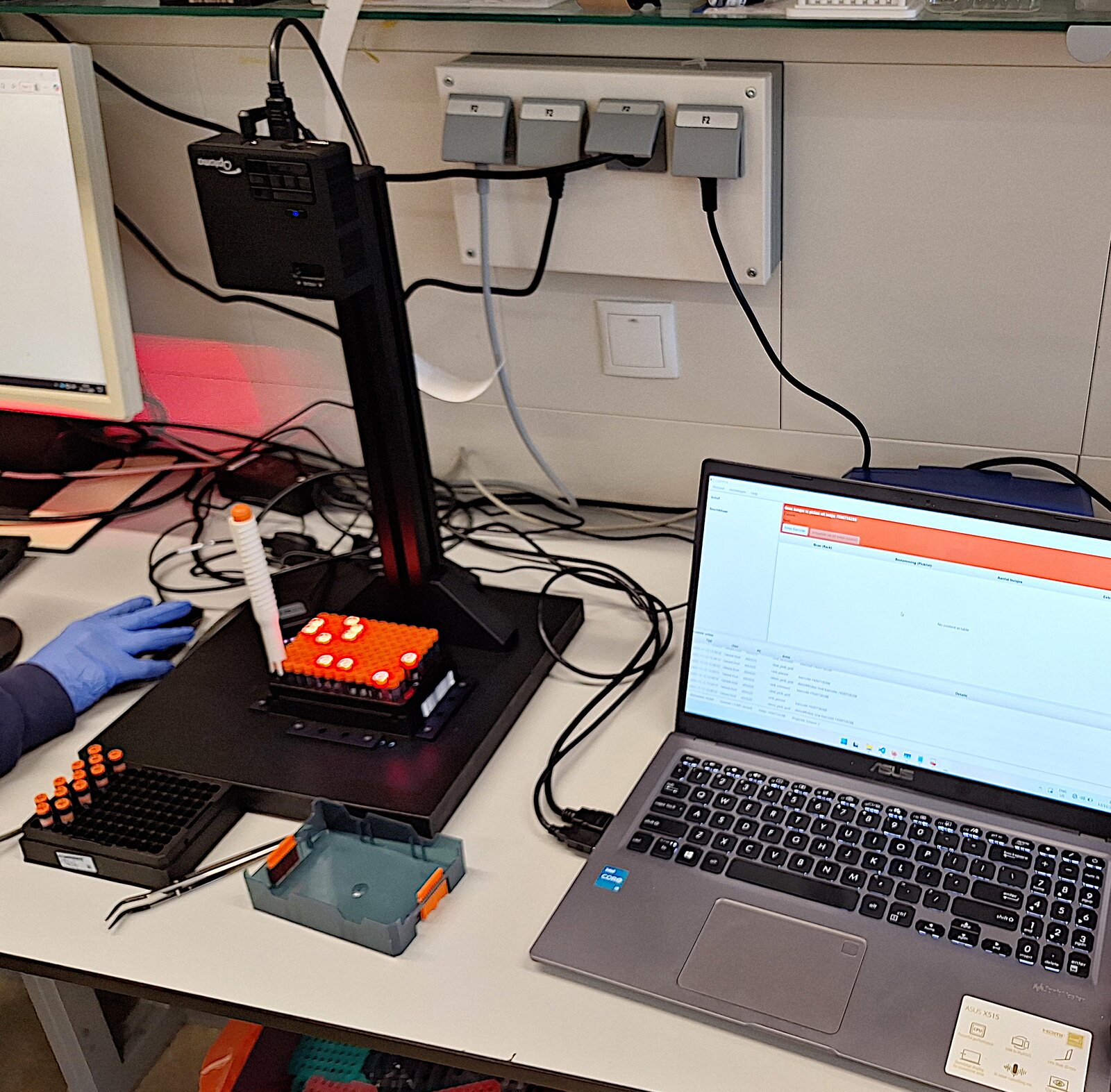
In a fully manual workflow, the operator finds each position using coordinates on a screen or printed list. Dense racks and longer picklists make that repeated translation difficult to verify at a glance.
Semi-automated tube pickers, such as the Ziath Mohawk, use a mechanical system to raise selected tubes from the rack. This solves the coordinate-matching problem, but introduces dedicated moving hardware and a separate software-controlled picking step.
LightPick leaves the tube and rack in place and guides the operator with projection instead. This makes the system quick to use at the bench, removes moving parts from the picking mechanism and keeps software interaction to a minimum. The simpler hardware also provides a lower-cost route to guided picking, with LIMS integration built around the existing workflow.
The next position is projected immediately, without a mechanical picking cycle.
Projection guides the operator without adding mechanical failure points to the picking step.
The compact projection hardware avoids a mechanically actuated picking deck.
The LIMS controls the work, with little or no separate software interaction during picking.
The same LightPick hardware can be used for both tube picking and pipetting guidance.
The LightPick system consists of:
A standard PC and barcode scanner are provided by the lab.
LightPick connects to a LIMS using a simple API or file-based interface. Integration is intentionally lightweight: the LIMS remains in control of the workflow, while LightPick handles guidance at the bench.
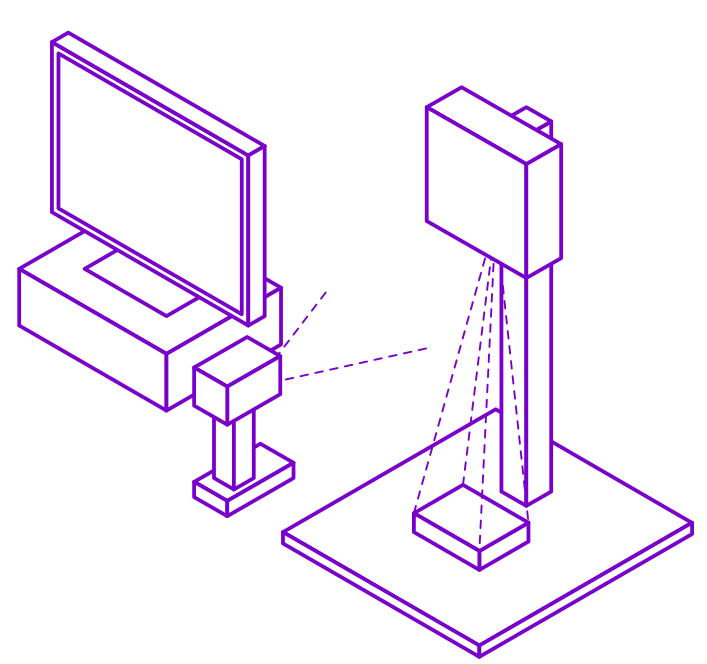
LightPick workstation layout.
One LightPick hardware setup can be used for both tube picking and pipetting. The hardware is purchased once; software and support are licensed separately for each application.
€2,000one-time
Projection stand, configurable fixture and projector. Shared by both applications.
€2,000per application / year
Application software, updates, documentation and email support.
€150per hour
LIMS integration and application-specific customization.
Contact us for a quotation or questions about rack compatibility, workstation requirements, software licensing or integration with your LIMS.
Ask about purchasing